§1.5 - Simple Setup and Test Output
KM
bykarutt
2024-11-11
Start Coding with VSCode
Open the p5.js Folder
- Press
Alt + Rto open theP5.jsproject.
Create a p5.js Project
- Press
cmd + shift + pto open the command palette and runCreate a standard p5.js project. - When asked
Do you want to create a new directory?, selectYes. - When asked
What is the name of the new directory?, enter an appropriate name. - When asked
Do you want to use a local or a hosted version?, selectHosted.
Project File Structure
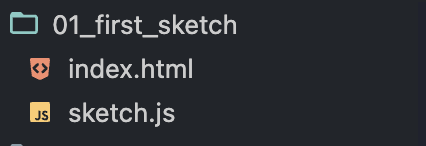
Project Name(folder)index.html(file to open for preview)sketch.js(file to write the main code)
Display in VSCode
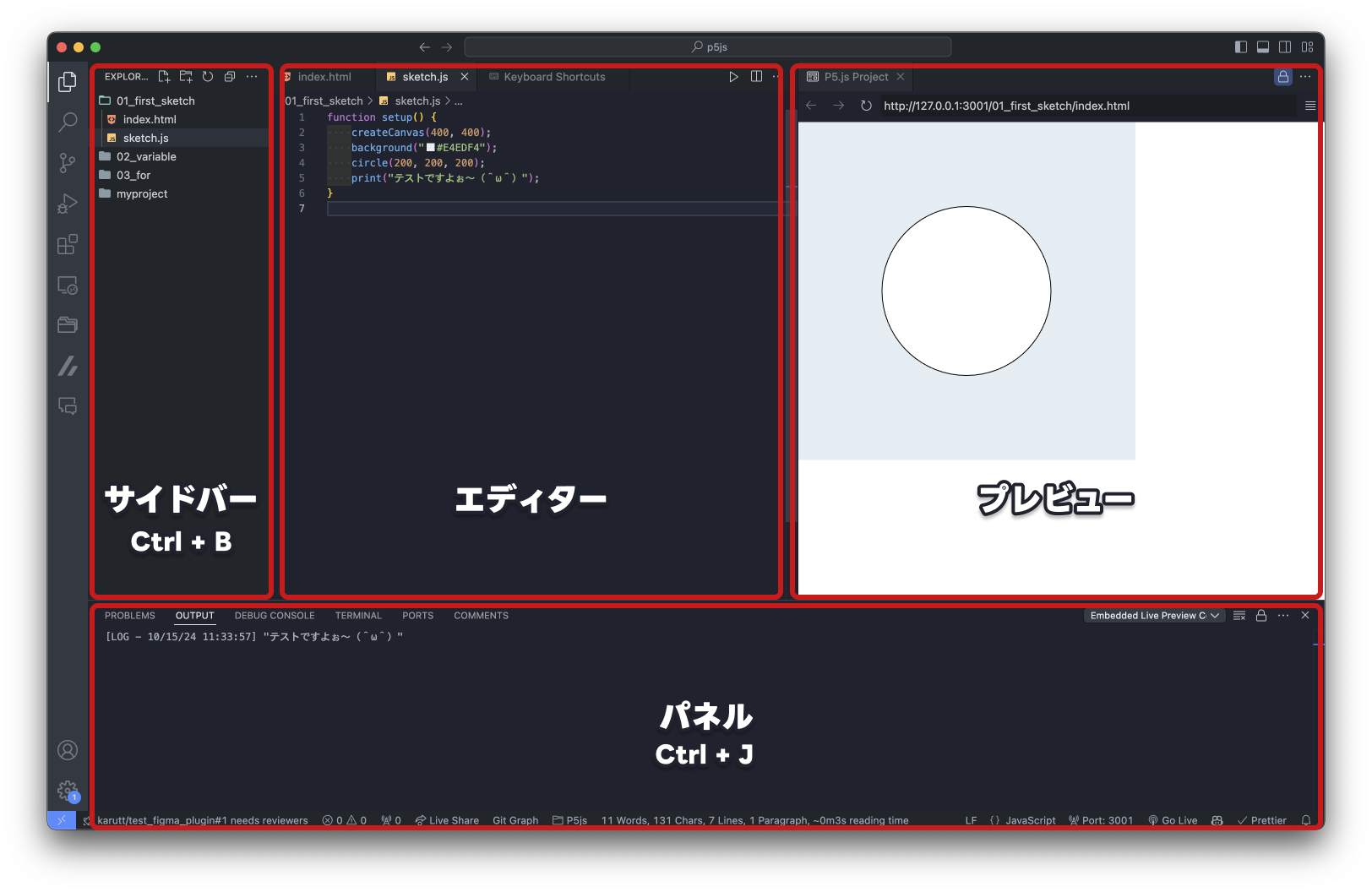
- To display the preview, open
Project Name>index.htmland click the magnifying glass icon in the top right corner.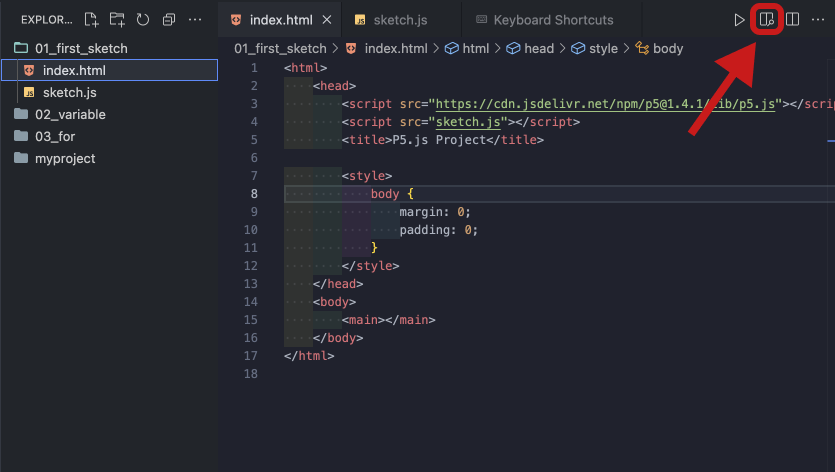
- The editor will display the file selected in the sidebar. Make sure the
index.htmlfile underProject Nameis open. - The panel is used to display output results.
- Press
Ctrl + Jto open the panel. (PressCtrl + Jagain to hide it) - Select the
Outputtab. - From the dropdown, click
Embedded Live Preview Console.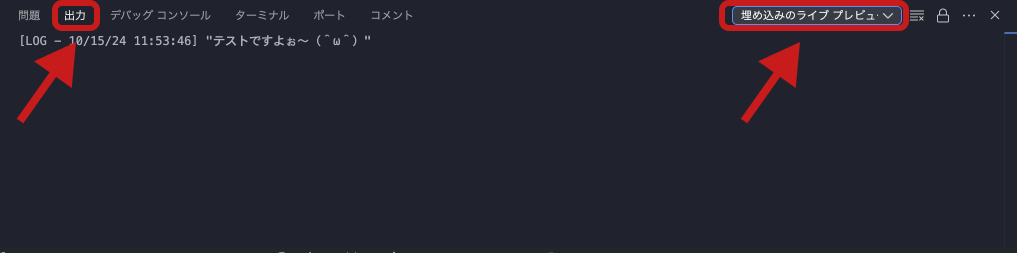
- Press
- Toggle the sidebar visibility with
Ctrl + B.
Submit Your Test
Template for Drawing Problems
- Use the VSCode snippet
p5-setupto create thesetup()function.
function setup() {
    createCanvas(400, 400);
    // Code to draw shapes
}
Template for Output Problems
- Use the VSCode snippet
p5-setupto create thesetup()function. - Use the
print()function to output results.
// Example: Output the result of 1 + 1
function setup() {
    createCanvas(400, 400);
    print(1 + 1);
}