
2024-11-11
In this section, we will learn about the "for loop" in programming. A for loop is a syntax used to repeat a specific process a specified number of times. It allows you to write code that performs the same operation repeatedly in a concise manner.
Practice 3.3.1
First, let's write code to draw 10 vertical lines without using a for loop.
function setup() {
    createCanvas(490, 320);
    background(255);
    strokeWeight(2);
    line(110, 60, 110, 260);
    line(140, 60, 140, 260);
    line(170, 60, 170, 260);
    line(200, 60, 200, 260);
    line(230, 60, 230, 260);
    line(260, 60, 260, 260);
    line(290, 60, 290, 260);
    line(320, 60, 320, 260);
    line(350, 60, 350, 260);
    line(380, 60, 380, 260);
}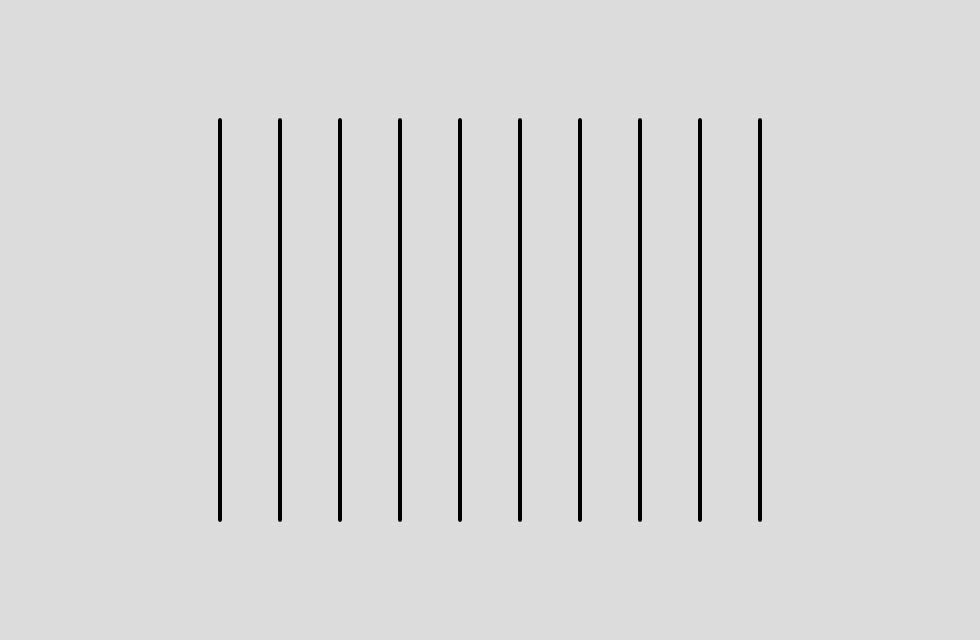
We managed to write it somehow. But what if we had to draw 100 lines instead of 10? Writing each line one by one would be quite tedious. By carefully observing the code that draws the 10 lines, you might notice some patterns or regularities. By using a structure called a "for loop", you can perform repetitive processing with a single piece of code instead of writing similar code repeatedly.
function setup() {
    createCanvas(490, 320);
    background(255);
    strokeWeight(2);
    for (let x = 110; x <= 380; x += 30) {
        line(x, 60, x, 260);
    }
}
This way, you can draw not only 10 lines but also 100 or 1000 lines.
How to Write a for Loop
A for loop is different from the drawing functions we have used so far. First, a for loop has a block enclosed by { and }, where the repetitive processing is described. Let's rewrite the for loop structure to make it easier to understand.
for (initialization; condition; update) {
    // Repetitive processing
}
As a concrete example, the code to draw 10 vertical lines is as follows:
for (let x = 110; x <= 380; x += 30) {
    line(x, 60, x, 260); // Repetitive processing
}- Initialization: Initialize the variable before starting the repetitive processing. In the example above,
let x = 110;is the initialization. - Condition: Determine whether to continue the repetitive processing. The processing is repeated as long as the condition is
true. In the example above,x <= 380is the condition. - Update: Update the variable after the repetitive processing. In the example above,
x += 30is the update. This is the same asx = x + 30.
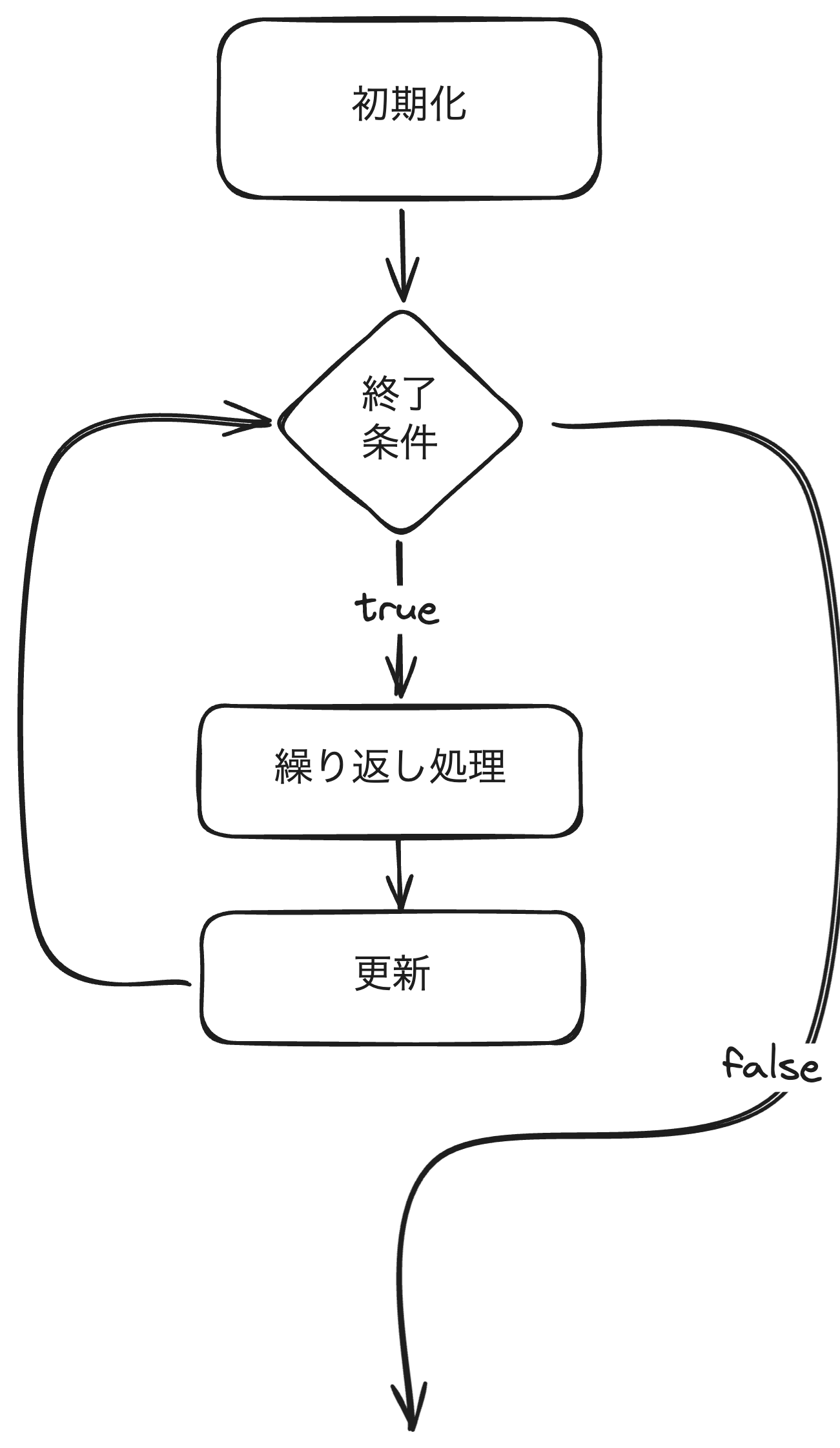
In other words, the variable x is initialized to 110, updated to 150, 190, 230, 270, 310, 350, and repeated until it becomes 380.
Comparison Operators Used in Conditions
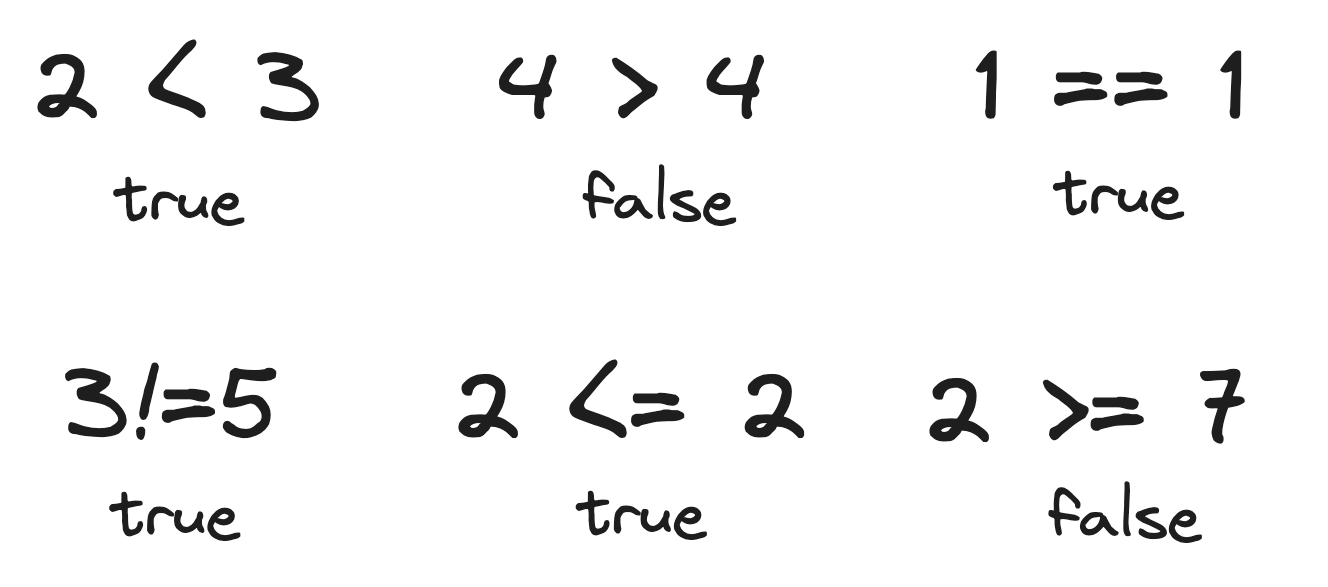
To end a for loop, we use "comparison operators". Comparison operators compare two values and return true (true) or false (false). In JavaScript, the following comparison operators are used:
==: Equal to!=: Not equal to>: Greater than>=: Greater than or equal to<: Less than<=: Less than or equal to
Practice 3.3.2
Let's rewrite the code to draw the stairs created in the previous section's "Practice 3.2.1" using a for loop.
function setup() {
    createCanvas(480, 320);
    background('#D6E3ED');

    let w = 100;
    let h = 50;
    let x = 0;
    let y = 50;
    let step = 100;

    rect(x, y, w, h);
    w += step;
    y += h;
    rect(x, y, w, h);
    w += step;
    y += h;
    rect(x, y, w, h);
    w += step;
    y += h;
    rect(x, y, w, h);
}
The last three lines of code are exactly the same repetitive processing, so there seems to be room for improvement.
function setup() {
    createCanvas(480, 320);
    background('#D6E3ED');

    let w = 100;
    let h = 50;
    let x = 0;
    let y = 50;
    let step = 100;

    for (let i = 0; i < 4; i++) {
        rect(x, y, w, h);
        w += step;
        y += h;
    }
}
Since we wrote it with a for loop, the number of steps is currently 4, but by changing the part i < 4, you can change the number of steps. For example, if you want 100 steps, just set i < 100.
-