2025-02-10
Exploring Slide Presentation Apps
There are various apps available for creating slide presentations. Some of the most popular ones include:
- Microsoft PowerPoint
- Google Slides
- Keynote
- Canva
- FigmaSlides
| App Name | Features |
|---|---|
| Microsoft PowerPoint | Widely used, making it easy to find information<br>Seamless integration with Microsoft Office |
| Google Slides | Easy to share data since everything is saved in the cloud<br>Integrates well with Google Drive |
| Keynote | Beautiful design<br>Works well with macOS<br>Rich in presentation animations |
| Canva | Abundant design templates and materials<br>Users can easily create designs<br>Easy to share designs<br>Simple-to-use animation features |
| FigmaSlides | Use designs created in Figma directly in slides<br>Leverages Figma’s usability<br>Flexible design options<br>Simple interface for creating slides |
In this guide, we will use Canva to create slide presentations. Canva is known for its wide variety of design templates and materials, making it easy for users to create designs.
Creating a Blank Presentation
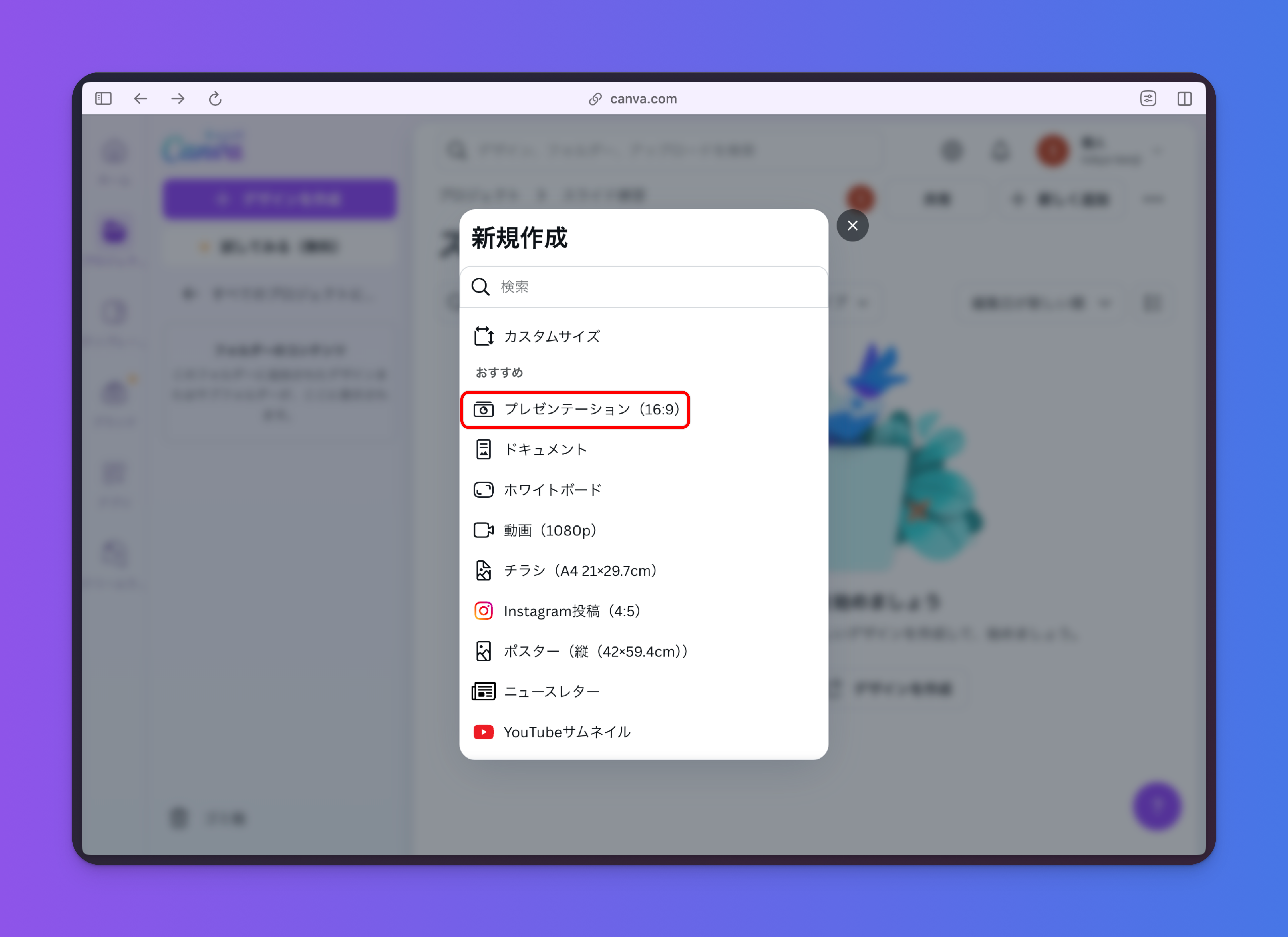
This assumes you have access to Canva. First, open the Canva home screen and create a new presentation.

Using Folders
Files and folders can be thought of as:
- Files: Data such as images, documents, or videos
- Folders: Containers for organizing files
In Canva, files are called "designs." For example, posters, presentation materials, and social media images are all considered designs (files). You can organize them into folders such as "School Projects" or "Personal Designs."
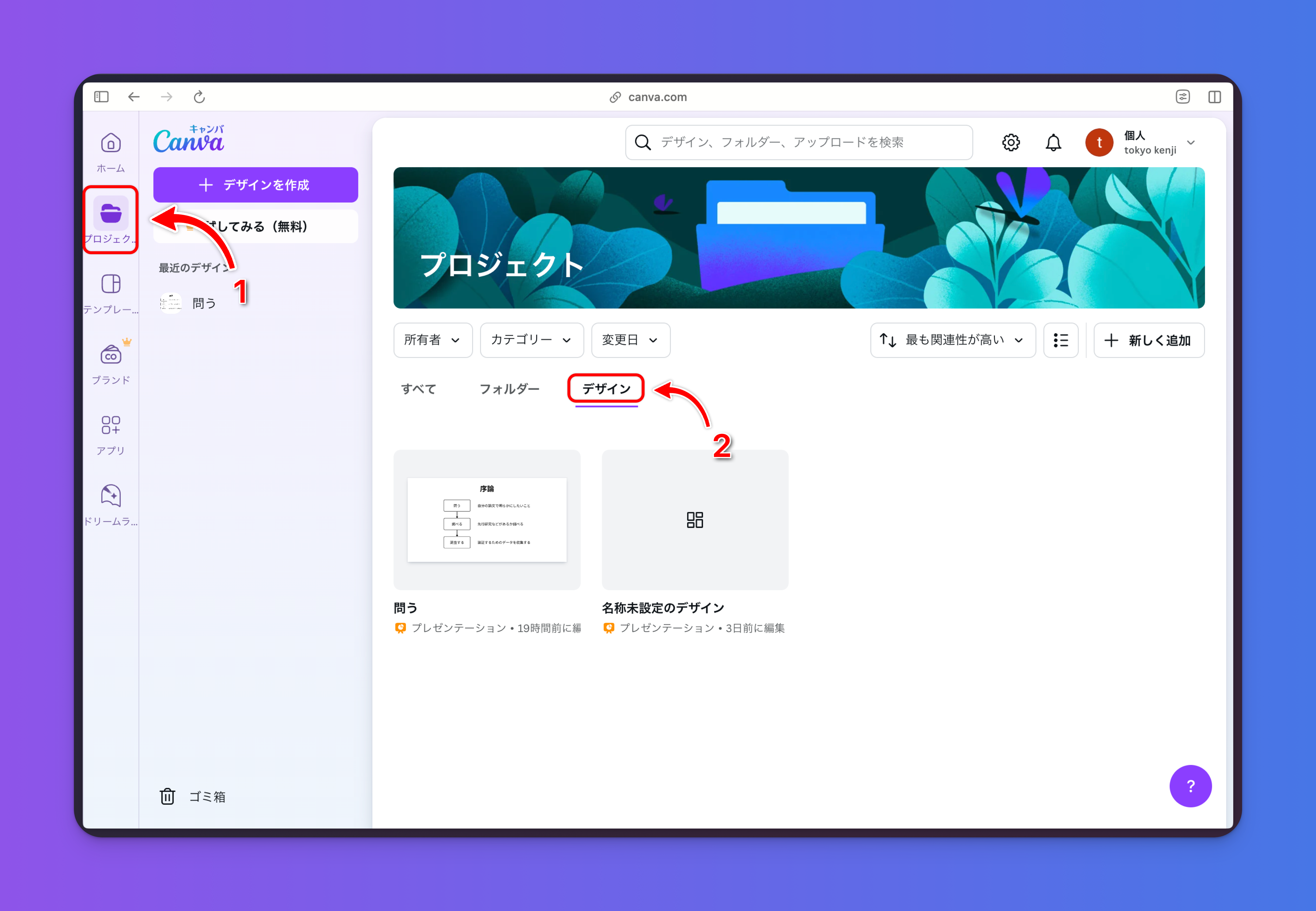
You can view your created files (hereafter referred to as designs) from the left sidebar under "Projects" → "Designs."
Creating a Folder
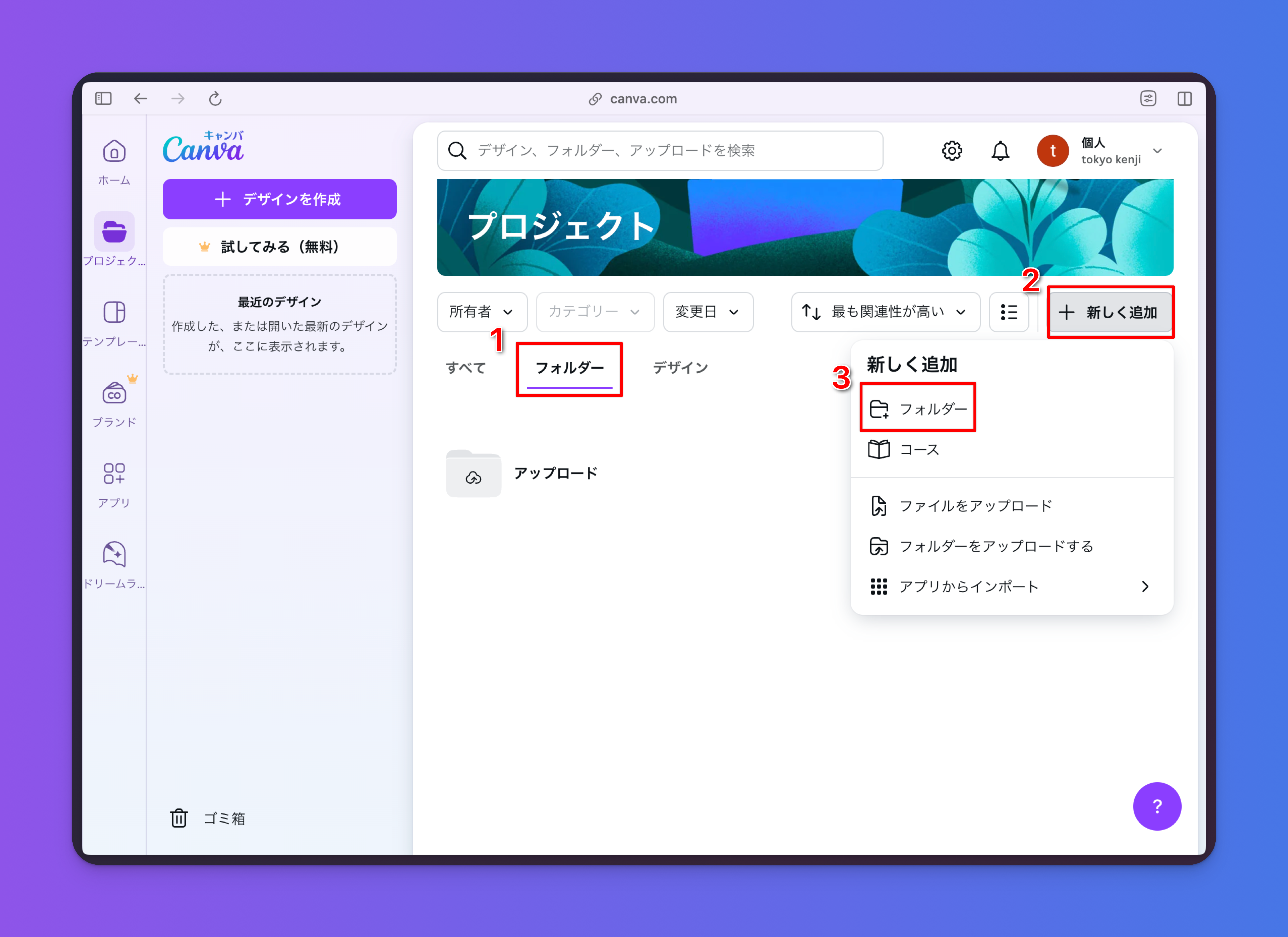
To create a new folder, go to "Folders" → "Add New" → "Folder."
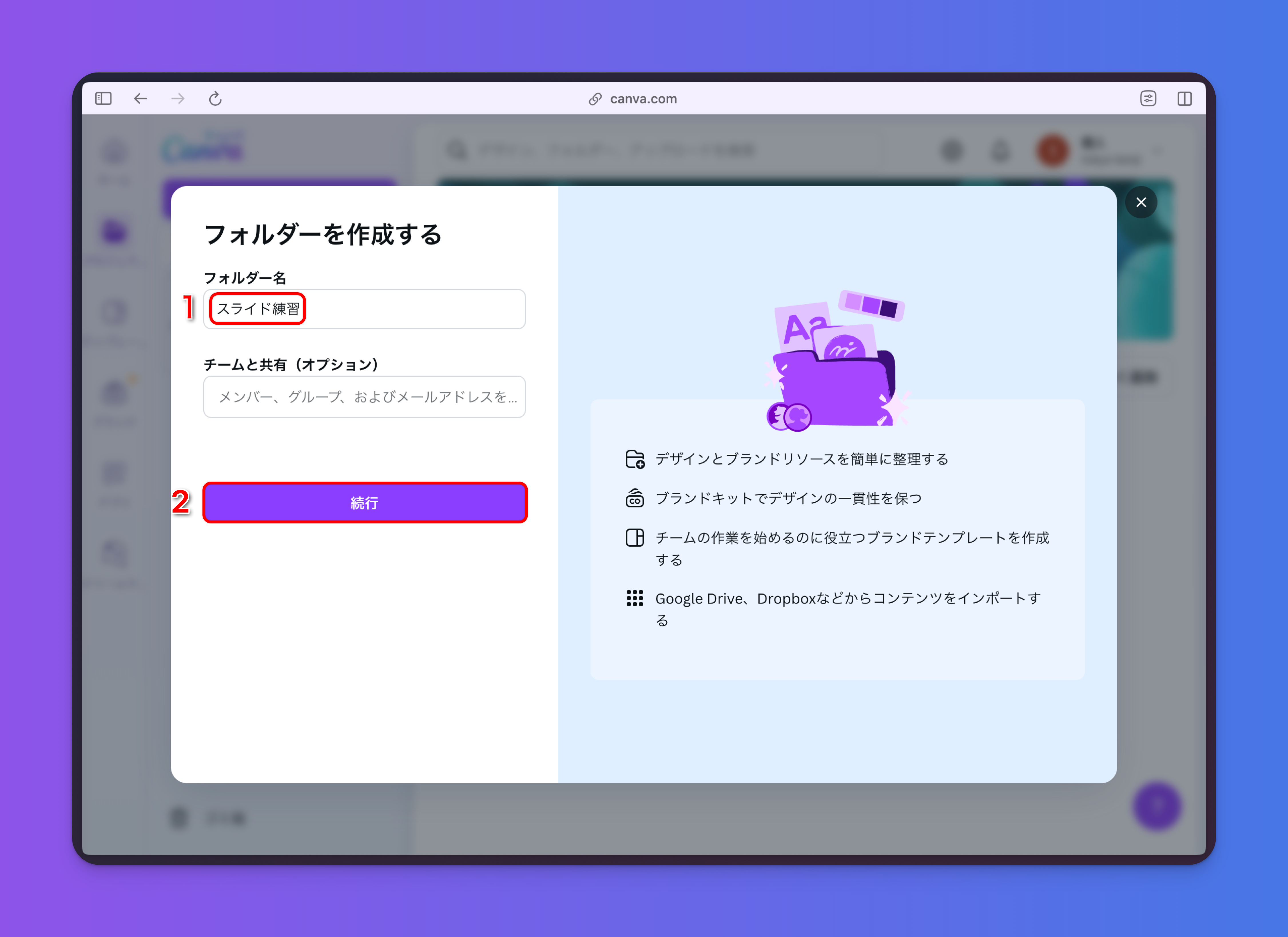
Name the folder "Slide Practice."
Once the folder is created, you can create files (presentation files) within it. Saving files in folders makes them easier to manage.
Click "Slide Practice (Folder)" → "Create Design" → "Presentation" to create a file within the folder. Name the file "Thesis Presentation Materials."