
2025-06-03
By now, you should have a basic understanding of how to use Python. But in real programs, you often need to "change what happens depending on conditions" or "repeat the same process many times." This is where you need more complex thinking.
Let's learn about "control structures" that let you control the flow of your program.
How to Get User Input
To make your programs more practical, you need to change their behavior based on "user input." Before learning about if statements, let's look at the input() function.
- Overview
input()is a function that gets input from the user via the keyboard.- The input is always stored as a string (str type) in a variable.
- What You Can Do
- Get information (like name or age) from the user while the program is running
- Use the input to change what the program does or outputs
- Combine with
int()to treat input as a number
For example:
name = input("Enter your name: ")
print("Hello,", name, "!")
This way, you can add "human judgment" or "input" to your program. Next, let's learn how to change what happens based on the "input value"—in other words, "conditional branching."
What are Control Structures?
So far, your code has followed the rule of "executing from top to bottom" unless told otherwise. This is called "sequential processing."
But real-world logic can't always be expressed this way. For example, to turn a flowchart like this into code, you need a way to control the flow yourself.
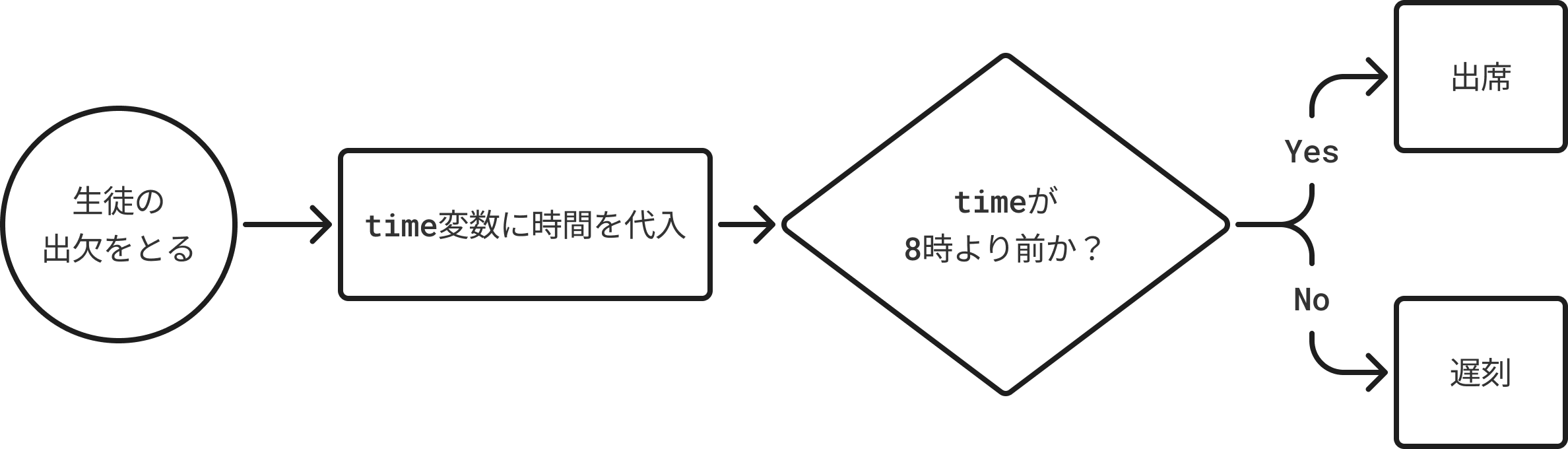
To "branch the process depending on conditions," you use "branching statements."
Conditional Branching (if / elif / else)
- Overview: A structure that checks if a condition is
TrueorFalseand changes what happens accordingly. - What You Can Do: Create flows like "If ~, do this. Otherwise, do that."
Basic if Statement
if condition:
    # This runs if the condition is True
else:
    # This runs if the condition is False
Example: Change Message Based on Input
For example, you can ask the user for their age and show a different message depending on the answer:
age = int(input("Enter your age: "))
if age >= 18:
    print("You are 18 or older.")
else:
    print("You are under 18.")
This way, you can make your program "react to input." Once you understand this, you'll be able to write more flexible programs when you learn about "loops" next.
- The
input()function gets text from the user via the keyboard. - The
int()function converts the input string (like "18") to a number (integer). Sinceinput()always returns a string, you need to convert it to compare numbers.
elif (More Than Two Conditions)
What if you want to split into more than just "18 or older" and "under 18"? For example, "under 13," "13 to 17," and "18 or older"? That's where elif (short for else if) comes in.
age = int(input("Enter your age: "))

if age < 13:
    print("Under 13.")
elif age < 18:
    print("13 to 17.")
else:
print("18 or older.")- If the first
ifisFalse, it checks theelif. - If none match, the final
elseruns.
This way, you can write three or more branches cleanly.